Introduction
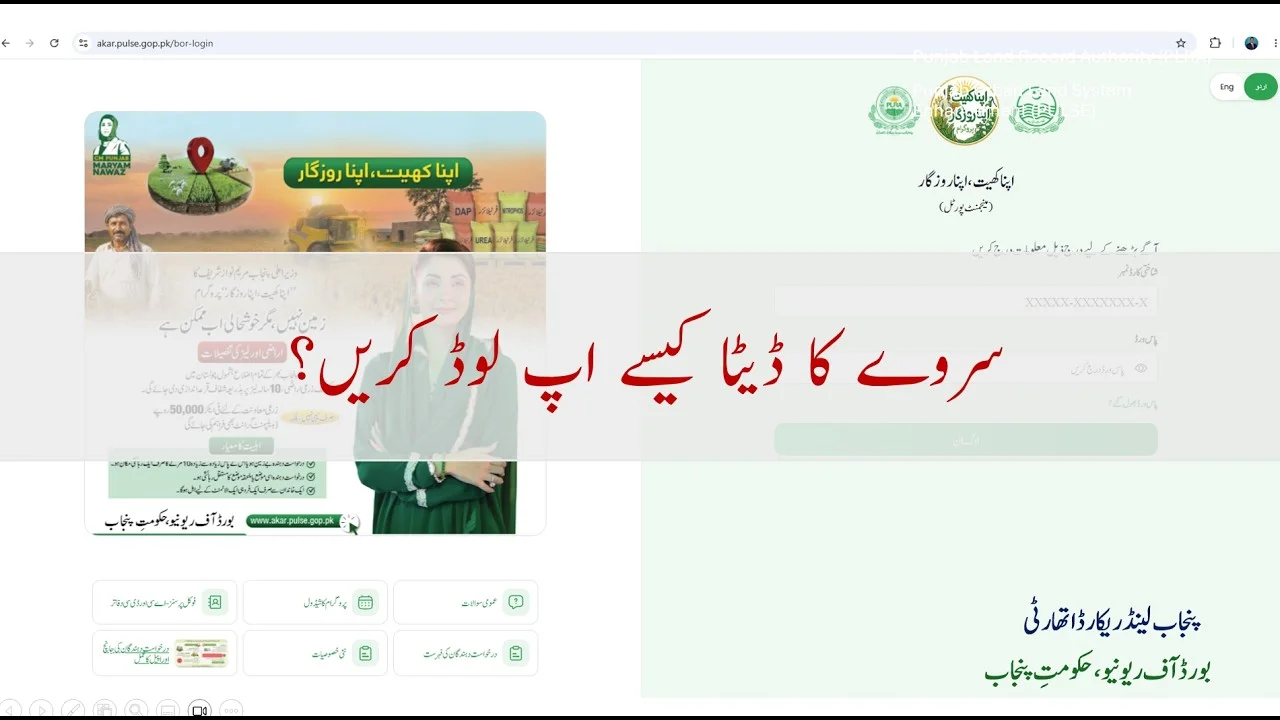
This training session provides a step-by-step overview of how authorized personnel can upload and manage PMT survey data within the Mojha Apna Rozgar portal. The process supports the transfer of field-collected information into a centralized system while maintaining strict controls over access, privacy, and data quality.
The survey initiative is linked to the Board of Revenue and is designed to help officials verify, organize, and process applicant information efficiently. The instructor emphasizes that only designated users with Scrutiny Committee credentials can access the system, ensuring that sensitive information remains protected.
The primary objective is to help field teams review survey records, complete pending applications, and submit accurate data for eligible applicants within their assigned talukas.
Core Workflow and Access Controls
Restricted Access
- Portal access is limited to users with authorized Scrutiny Committee credentials.
- Users can view only the talukas assigned to them.
- Survey data from other regions remains inaccessible to maintain confidentiality and role-based access control.
Login and Portal Navigation
Users access the management portal using their CNIC and password through the official system URL provided during training.
After signing in, users can:
- Open the PMT Survey module
- Review applicant records
- Filter data by taluka or moza (village)
- Download records in Excel format
- Complete pending surveys
- Track submission status
Privacy and Data Protection
The portal is designed to protect applicant confidentiality.
Key privacy features include:
- Personal identifiers are masked or hidden.
- Only information required for processing is visible.
- Mobile numbers and identity details are partially obscured.
- Survey responses and completion indicators remain available for authorized users.
This approach balances operational efficiency with privacy protection.
Applicant Dashboard and Status Indicators
The portal dashboard displays surveyed applicants and their progress.
Visible information may include:
- Applicant reference details
- Mobile number (masked)
- Survey week
- Status indicator
Status indicators help users identify pending actions:
| Status | Meaning |
|---|---|
| Green | Survey completed and submitted |
| Yellow/Red | Survey pending or incomplete |
| Link available | Additional information must be entered |
For incomplete records, users select the provided link to open the survey form in a new window.
After successful submission:
- The link disappears.
- The applicant status changes to Completed.
- The dashboard refreshes automatically.
Data Export and Reporting
The portal provides an Excel export feature that allows users to:
- Download applicant lists
- Conduct offline verification
- Generate reports
- Maintain archival records
This functionality supports monitoring and supervisory activities.
PMT Survey Form Structure
The survey form consists of several sections designed to assess household conditions and socioeconomic status.
Major Categories
- Housing ownership and tenancy
- Land ownership and usage
- Household assets
- Livestock ownership
- Income sources
- Family dependency information
Housing and Tenancy Information
The form first determines the respondent’s housing status.
Questions include:
- Does the applicant own or rent the residence?
- Is the dwelling occupied by the applicant’s household?
If the property is rented, users must select the dwelling size:
- Up to 5 marla
- 10 marla
- 20 marla
- More than 20 marla
If the property is owned, additional ownership-related fields appear.
Fields not relevant to the selected option are automatically skipped.
Land Ownership Assessment
Applicants are asked whether they own land and, if applicable, the type of ownership.
Categories include:
- Agricultural land
- Residential land
- Tenancy arrangements
Users must also specify the approximate land area according to predefined ranges.
If no land ownership is declared, these questions are bypassed automatically.
Household Assets
The survey captures ownership of selected household assets using simple Yes/No responses.
Assets include:
- Refrigerator
- Air conditioner
- Motorcycle
- Tractor
- Car
The form records only whether an item exists and does not require quantity details.
Livestock Ownership
The livestock section also uses a binary response format.
Categories include:
- Buffalo
- Cow
- Camel
- Goats or sheep
No headcount information is required.
Income and Employment Information
Applicants must identify their monthly household income range.
Income brackets extend from lower-income categories to amounts exceeding PKR 200,000 per month.
Users must also record the primary source of income, such as:
- Farming
- Shopkeeping
- Driving
- Wage labor
- Other occupations
Household Dependents
The final section records the number of dependents supported by the household.
Categories include:
- Two or fewer dependents
- Two to four dependents
- More than four dependents
This information helps assess household financial pressure.
Data Quality and Submission Controls
The system enforces mandatory completion requirements.
Before submission:
- All required fields must be completed.
- Missing information triggers validation warnings.
- Users cannot submit incomplete forms.
After validation:
- Review all entries for accuracy.
- Submit the survey.
- Confirm that the applicant status updates successfully.
This process helps ensure data consistency and reliability.
Practical Guidance for Field Teams
The instructor highlights several best practices:
- Verify housing categories carefully.
- Select correct land ownership ranges.
- Confirm income brackets accurately.
- Review all mandatory fields before submission.
- Use Excel exports for cross-checking records.
- Ensure data is entered only for assigned talukas.
Accurate categorization is essential because errors may affect applicant assessment and program outcomes.
Quick Reference Table
| Section | Required Action | Key Consideration |
|---|---|---|
| Access | Log in with authorized credentials | Restricted to assigned talukas |
| Applicant List | Filter and review records | Personal data remains masked |
| Status Tracking | Identify pending cases | Green indicates completion |
| Housing | Record ownership or tenancy | Select correct dwelling size |
| Land | Enter ownership type and area | Skip if no land exists |
| Assets | Mark Yes or No | No quantity required |
| Livestock | Mark Yes or No | No headcount required |
| Income | Select bracket and source | Use accurate information |
| Dependents | Choose household category | Reflect actual family size |
Conclusion
The PMT survey upload process within the Mojha Apna Rozgar portal establishes a structured workflow for transforming field survey results into a secure and auditable digital record.
The training emphasizes four key principles:
- Controlled access
- Protection of applicant privacy
- Accurate data entry
- Complete and timely submissions
By following the prescribed workflow—from login and record review to survey completion and status updates—field personnel can ensure that data is reliable, transparent, and ready for administrative use.
The portal’s combination of role-based access, automated validation, and status tracking creates an efficient system for managing PMT survey information while safeguarding respondent confidentiality.